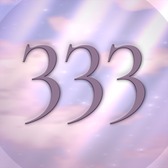

The Angel Clock widget is a small square of moving sky with the time on it, and it catches the minute whether or not you open anything. Getting a widget to be reliably on time is harder than it sounds — here is why, and what any stuck widget on your phone is actually doing.
A widget is not a small app
This is the thing that explains almost every widget complaint. A widget is not running. It is a picture that your app prepared earlier.
When iOS wants a widget, it wakes the app briefly and asks for a timeline: a list of finished renderings, each stamped with the moment it becomes valid. iOS keeps that list and swaps pictures at the stamped times, without waking anything. Then, when the list runs out, it asks for another one.
So a widget’s freshness has almost nothing to do with your phone’s speed or your signal. It depends on two things: how far ahead the app thought, and how willing iOS is to ask again.
Why iOS says no
Waking an app costs battery, so iOS spends those wake-ups carefully and gives each widget a rough daily allowance. The allowance is not fixed — it responds to how often you actually look at the widget, so a widget on the first home screen that you see fifty times a day is refreshed more generously than one buried on page four.
An app can ask for a refresh — that is what happens when a well-behaved app updates its widget after you change something. But asking is all any app can do, and an app that asks constantly gets its allowance spent for the day and then goes quiet exactly when you notice.
Why does a clock widget show the wrong time?
A weather widget can be an hour out of date and nobody dies. A clock cannot be a minute out of date — a clock showing 11:10 while your lock screen says 11:11 is not slightly wrong, it is broken, and for this app it would mean missing the only moment it exists for.
Naively that needs 1,440 refreshes a day, which is twenty to thirty-five times the allowance.
The way out is the timeline itself. Angel Clock does not ask to be refreshed every minute; it hands iOS two hours of minutes at once — around 120 to 140 finished pictures, one per minute, sampled twice as often around the times that matter, so the catch lands on the right second. iOS then flips through them on its own, and the app is woken about twelve times a day against an allowance of forty to seventy. The clock is exact; the battery cost is a rounding error.
Two hours rather than six, incidentally, because six did not work: a six-hour timeline is around 360 finished renderings, and the large widget quietly refused to leave its placeholder state under the memory that costs. That is the sort of thing you only find by installing it and looking.
If your iPhone widget is stuck or not updating
For any widget, not just ours:
- Open the app once. This is the single most effective move: it lets the app ask for a new timeline while it is in the foreground, which is the request iOS is most willing to grant.
- Check that Background App Refresh is on for it — Settings → General → Background App Refresh. With it off, some apps lose the chance to prepare anything at all.
- Check Low Power Mode. It trims background work, and widgets are background work.
- Remove the widget and add it again. Crude, and it works: the widget is re-created from scratch and asks for a fresh timeline immediately.
- Look at where it lives. A widget you never see is a widget iOS learns to refresh less often.
If Angel Clock is still wrong after opening it, that is a bug rather than a budget, and we would like to know: support.
What ours shows
The minute it shows is one of the seven a 12-hour clock can repeat — the full tables for both faces are on angel time, and the reason the same minute keeps finding you is on seeing 11:11, and your own number is on the angel number calculator.
The small widget carries the time, one quiet line, and the same living sky as the app — baked, not animated, because an animated widget is not a thing iOS offers. At an angel time the number turns gold and the line becomes an invitation rather than a whisper.
The sky it shows is the sky of the moment: the palette moves through the day, so the widget in the morning and the widget at midnight are not the same picture with different digits. That is most of the reason to have it on the home screen at all.
The same tile also runs in a browser — as a full screen clock, and in Notion as a clock widget — and there the sky moves, because a web page, unlike a home screen widget, is allowed to animate.
How often do widgets refresh on iPhone?
There is no fixed number: iOS gives each widget a rough daily allowance, usually somewhere between forty and seventy wake-ups, and spends it on the widgets you actually look at. A widget on your first home screen is refreshed more generously than one on page four. Angel Clock is woken about twelve times a day, well inside that allowance, because it hands over two hours of finished minutes at once rather than asking again every minute.
Why is my widget blank or stuck on a placeholder?
Usually the app has not been able to prepare anything yet — open it once and the request iOS is most willing to grant happens in the foreground. There is a second cause that has nothing to do with you: a widget that tries to prepare too much at once can run out of memory and never leave its placeholder. Angel Clock hit exactly that with a six-hour timeline of around 360 rendered minutes, which is why it hands over two hours instead.
Does Background App Refresh matter for widgets?
It does, and it is the second thing worth checking after opening the app — Settings → General → Background App Refresh. With it off, some apps never get the chance to prepare a timeline at all, so the widget shows whatever it rendered last. Low Power Mode trims the same background work. Angel Clock still catches the minute on a prepared timeline, but it cannot ask for a new one if it is never allowed to run.
Why is a clock widget harder to keep on time than a weather widget?
Because being an hour stale is survivable for weather and fatal for a clock: 11:10 on your home screen while the lock screen says 11:11 is not slightly wrong, it is broken. Refreshing every minute would need 1,440 wake-ups a day — twenty to thirty-five times the allowance — so Angel Clock prepares 120 to 140 finished minutes ahead of time, sampled twice as densely around the minutes it exists to catch.
Refresh allowances are set by iOS and can change between releases; the numbers above describe how Angel Clock is built and what iOS documents, not a guarantee about your device. Angel Clock is not affiliated with Apple.